Showing posts with label Viewer. Show all posts

Wednesday, February 23, 2022

360° Snapshot At Firestorm Viewer

 
By Marcel Mosswood

I was very excited when I got the chance to try out Firestorm preview 65562 (future release) which one of the advantages is the 360° Snapshot. This Firestorm feature can make 360° snapshots like a 360° camera in real life. The result is really good!

People often compare 360° photos with videos, they think that 360° photos are nothing special because it is better to watch videos than 360° photos. In fact, 360° photos have many advantages over ordinary videos, especially if they are used for content marketing because of their immersive nature. With 360° photos, you can watch in any direction and point the screen in any direction you like.

Prior to this version, the 360° snapshot version can be enjoyed in the Firestorm VR Mod version 6.5.3, while this version 65562 is not a VR Mod version and is still a preview, at the time I’m writing this article, it is not yet available on the official Firestorm website, maybe it will be available soon.

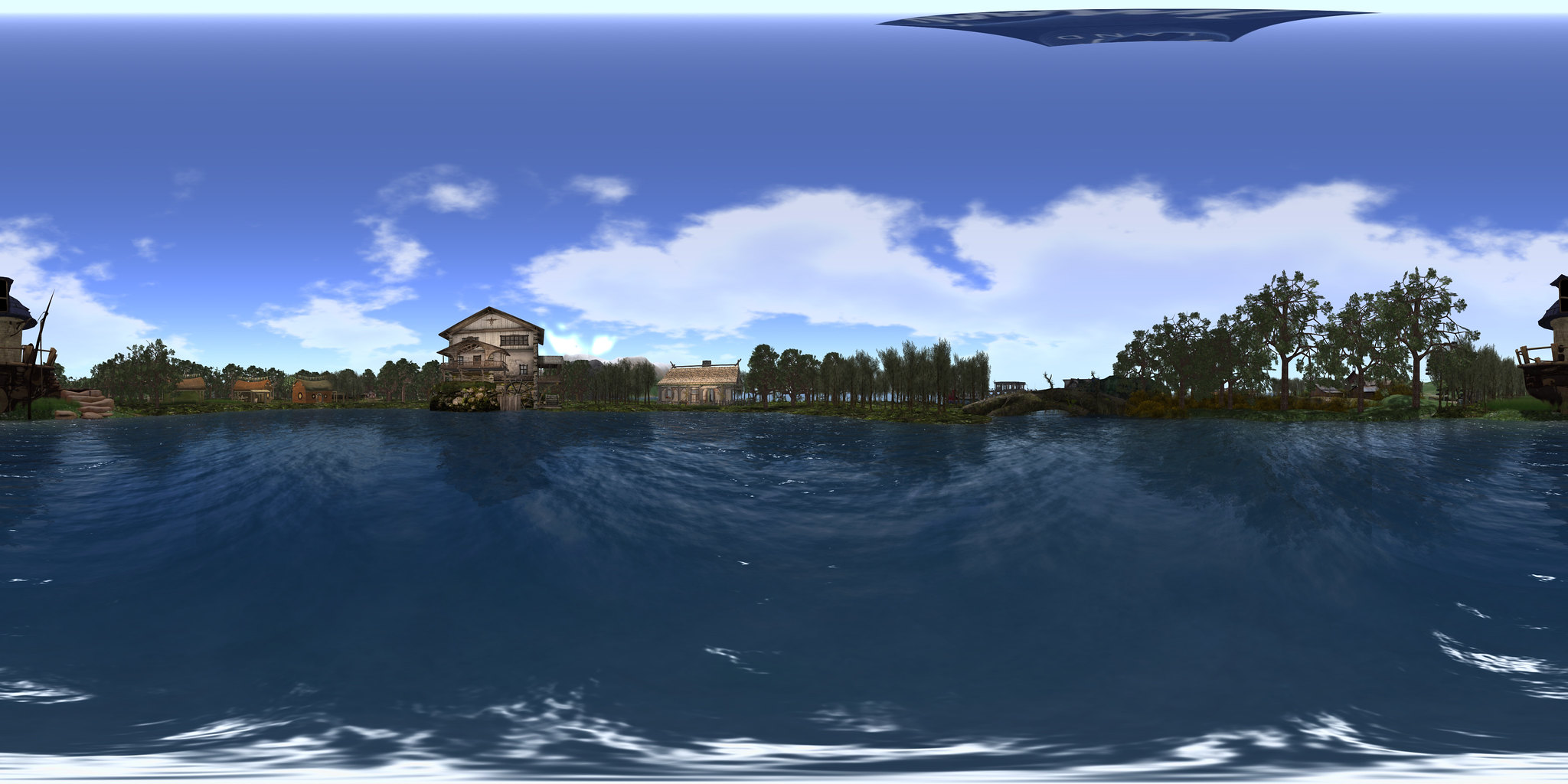
This is the result of a 360° Snapshot I made in Imagiland, my region on OSGrid 


Snapshot 360 at Imagiland

Making a 360° snapshot in Firestorm 65562 is very easy. First, make sure the graphic settings on your Firestorm are ultra so that the results will be satisfactory.

Click on the snapshot icon, then click the “Take 360° Snapshot” button at the bottom right


Then select the desired quality. My advice is don't hesitate to choose the Maximum one so that the resulting image is good. You can also check “Hide all avatars” so that the avatars don't appear in the photo. But if you want to show the avatar(s), don't check this box. Then click on “Create 360° Image”, and then click on “Save as” to save the snapshot on your hard disk.

After that, you can upload it on Flickr, Google Photos, or Facebook to share your snapshot with friends. Hopefully, in the near future, this Firestorm will be available for Second Life.

Marcel Mosswood


Wednesday, October 27, 2021

Firestorm Sale

 
By Gemma Cleanslate


Well, this weekend I have a bit of time to do some roaming. Some for Halloween, and some for shopping. I went shopping for a purpose. Firestorm , my favorite viewer is raising money to continue the project. Jessica Lyon, project manager put out this plea.

“It’s been 3 years since our last fund raiser and I really hate asking for help again! Really really! But we do incur significant expenses with server hosting, licensing fees, in world costs etc. Our average yearly operating costs are around $7000. Among other things this includes our KDU license, monthly server hosting fees, region tier costs for our community gateway / new user retention efforts and various in world expenses like paying for performers at events we host for you guys. While we do generate some revenue from the annoying ads on our website, it isn’t quite enough to keep us going. So from time to time we will do a fund raiser like this one to help balance the books for the next year or 3.”


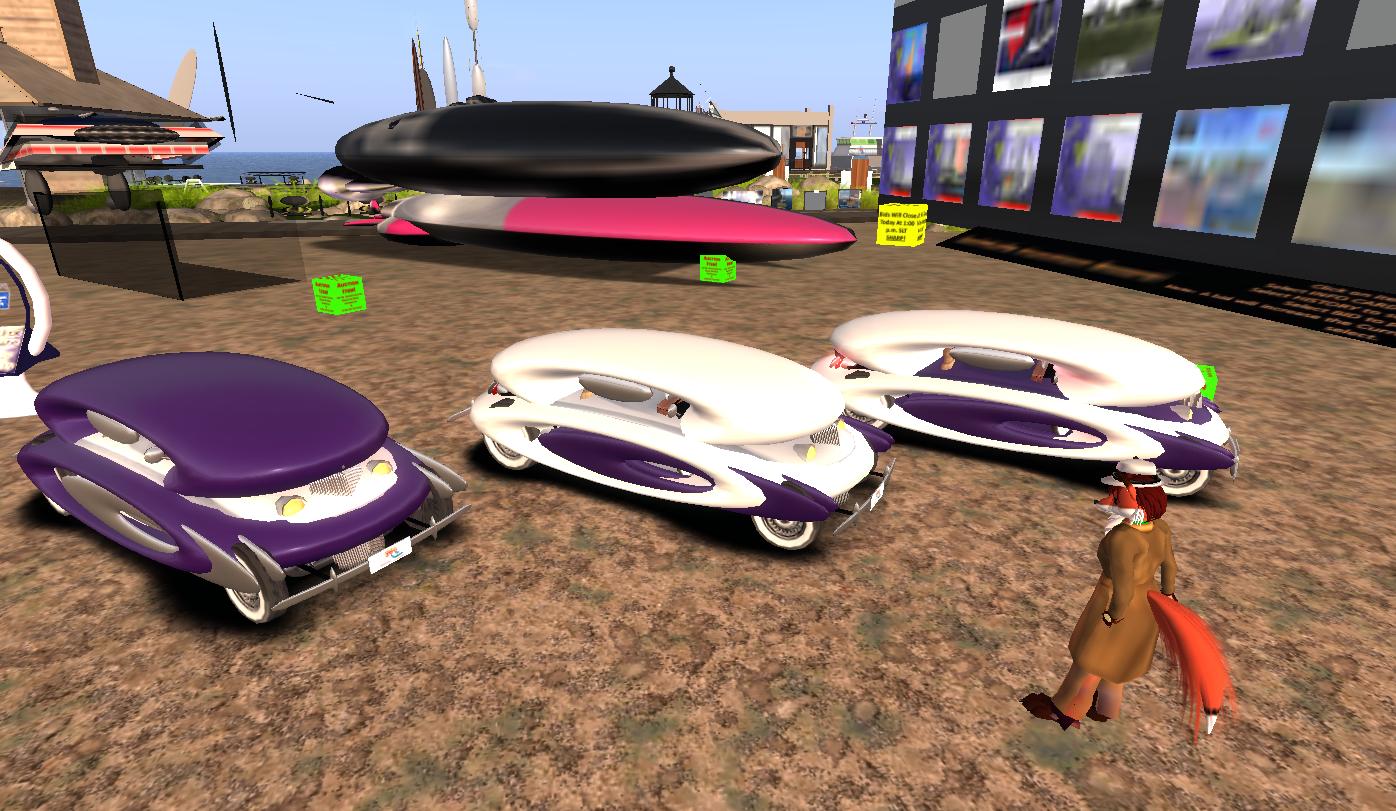
Three years is a long time without such an event so I went over to the sandbox to see what they have. Wow! Gachas may be gone, but the individual items were everywhere. If you need something inexpensive for your inventory go! Items ranged from clothing to furniture, decor for your home,  cars, trucks , camping items , beach decor, and on and on! The prices were great. I spent many lindens and grabbed a bunch of stuff I can use... sometime ... somewhere ...( I hope) .
I almost forgot !! You must take your purchase after you pay.


 I looked for my new Camper Bus  and it was not in my inventory.. then I remembered. I had to go into my account to look for the items I had paid for . Then I had to go back and find them. Thank goodness for the search area ! I was able to find all my items and go back to get them.

I saw a sign saying there will be more items coming .

 
 I recommend you get over there and get some booty!

http://maps.secondlife.com/secondlife/Firestorm%20Sandbox/72/189/2702

Gemma Cleanslate
 

Wednesday, September 9, 2015

Discussion About The Bright Canopy Viewer


By Bixyl Shuftan

On Saturday September 5, the creators of the Bright Canopy Viewer, designed to bring the Second Life experience to tablets and improve it on older computers like the defunct SL Go service, held a conference in Second Life to discuss recent events and developments. The sim was at an auditorium at a sim named after the product: Bright Canopy. Founder Bill Glover, known in Second Life as Chaos Priestman, did most of the speaking. Those with questions were asked to IM Jerri Glover, who was Bethsael Robbiani (Beth) inworld.

"Hello, and welcome," Chaos greeted the audience, "We're here today (to) talk about this last week and the future of Bright Canopy. We want to answer your questions, but we want to get to everyone, so if you have a question, please IM our Community Coordinator Bethsael Robbiani. We also have some questions sent in by email and we will be answering those too."

"Bright Canopy started a few months ago as a project to help people get the best out of Second Life and Open Sim without having to buy the latest hardware and eventually to be able to use mobile as well. We built a beta and it worked well and there was a lot of interest, so we moved on to pre launch and worked on billing and getting the last bugs ironed out. That also went well, and there was even more interest, so we planned a launch. We did the numbers and with the cost of goods on the back end we had a plan that we believed would break even and even make some money to fund new development and hiring support people."

Chaos described their business model was "Amazon Spot instance prices," and besides the costs of the instances, there was "the waste inherent in swapping people on and off those servers." And unfortunately, the price of the instances spiked starting in the first week of August, "What had been $0.12 was now over $1.00 and sometimes almost $8.00. This broke our business model, but it looked like a temporary spike. We decided to continue with the planned launch, We believed the prices would come back down. In the meantime, we moved to on-demand instances at $0.80 and that allowed us to continue. An $0.80 instance price meant we were losing money on every minute of user activity, but we hoped that usage would even out in such a way that we would lose money slowly enough to maintain our course until we could build out a solution that cost less on the back end. In the meantime we also hoped the spot prices would come back down and give us some relief."

 They launched on August 29, and realized things were not going as planned, "We had a good look at the usage with more people, and it became clear that we could not sustain the losses. Usage was just not the same as we had seen in Pre Release. We expected a difference, but we didn't expect such a huge difference. We agreed to pull the plug and rethink things. Now, as the dust has settled, prices have come back down in California and Virginia, but not in Ireland. And there's no guarantee they will remain low. Also, now that we've seen more of people's usage patterns we know that even the pre launch prices ... won't be profitable. At best we may break-even. It's probably a few months out before we could reduce cost enough (by splitting servers) to make it sustainable."

Chaos went on to say "This has never been about making alot of money. So far, no one but Amazon has made anything at all. Frame has offered a tremendous amount of support because they believe it’s important and could eventually be a sustainable business, and Jerri and I have volunteered our time and invested our savings. We did it because we believed it was important, and we still do." They were working with Frame witha proposal, which would help pay for expenses, "and hopefully for some of Frame's time."

For now, they would "have to back-off from 24/7 support to answers within 24 hours. I know there’s alot of disappointment, and we all share it. We want this to be easier for everyone, but for now, this is just a small flame that we will have to tend carefully if we want to keep it alive."

Chaos then opened the discussions to questions from the audience.

Several people asked, "Doesn't having more users make it cheaper for you?" Chaos answered, "I understand where this is coming from. We often see volume discounts when we buy things and in a sense it's true over the long term. But as I described, that's not the case right now. We actually lose a little money on each user until we have a less expensive way of sharing instances."

"Is there a business model in which a user could buy and pay up front for server time at particular times/days thus getting chaper access to the hardware?" Chaos answered, "That's an interesting idea. To make it work we would have to be able to get that time cheaper ourselves or utilize what we have more efficiently. We can look at that, but I'm not sure I see a way to do it off the top of my head. Thanks for that suggestion. Who was that from? ... Thanks, Lynxx."

"What has the reaction by Linden Lab been to Bright Canopy?" Chaos answered, "Linden Lab has been very supportive."

"Other services like Kitely have found ways to go to a monthly plan, can't you just do what they did?" Chaos respinded, "I want to explain, that running sims requires different sorts of servers. We use servers that have a GPU card, and special support for streaming. That's a relatively rare beast at the moment. But we expect to see other providers stepping up soon, and Amazon is likely to provide more, just based on the demand we've seen. No one has ever pulled this off. We're still hoping to be the first to make this work in a sustainable way."

Beth then spoke up, "We have several of a similar style, so I am going to paraphrase a bit. 'We have questions about the feasibility of using other servers or even our own servers to provide the service at a more affordable rate? Alternatives to the Spot instances and so on.' " Chaos spoke, "There aren't alot of providers what we need right now. There will be in 2016, I would expect. We could begin buying servers and configuring them and over the long term that might be less expensive, but it's a huge upfront capital cost.  We don't have funding for that, but it is a possibility."

"Is Linden Lab offering any support other than advertising the service?" Chaos answered, "They've been open to talk about other support. We haven't talked about anything specific."

"what server used SL GO ?" Chaos informed, "SLGo built out their own servers, originally for another purpose."

"What is the feasibility of a kickstarter for upfront costs for servers, or would it simply be too prohibitive?" Chaos responded, "That's  a topic that has come up a couple of times. It's not out of the question, but there's more than servers. We would want all of the platform that Frame provides, so it would be a discussion about setting up a self-hosted option with Frame I would think."

"Do we have an estimate on when we may be accepting new subscribers? Or are we in a holding/wait pattern." Chaos answered, "Yes, I'd say a holding pattern is the best way to put it. We mentioned that Monday would be the earliest we could come back up, but we are not ready to do that yet. We want to make sure when we do, we have something that will last."

"Also, asking for clarification from 'Other Support' from SL – are we talking financial support? Wouldn’t it be to their financial advantage to build the customer base or are they more into the new platform now?" Chaos spoke, "I can’t speak for Linden Lab. But I can say our core mission is to bring as many people to this and opensim worlds as we can."

"Does LL realize that services like this are the way forward not everyone can afford to upgrade on a regular basis . Soon they will have a platform that is unusable by the majority?" Chaos responded, "I can’t speak for LL, as I said. But I think everyone understands how important this service is. We just have to find a way to offer it that will stand on it’s own two feet."

That was the last of the questions. Several people in the audience thanked Chaos and Beth for their efforts, "We hope you get it there, you all seem like a passionate and great bunch of people, and it's a great idea." "Thanks for the info, good luck ..." "hank you for inviting us." Chaos told the crowd, "Thank you all for coming. ... We will continue to provide updates through our twitter @BrightCanopyApp and through the Bright Canopy group."

For more information, one can check the Bright Canopy Blog, which also published a transcript of the event.  Inara Pey, whom Chaos credited with helping him get the idea to create Bright Canopy, also wrote on the event. New World Notes brought up a Reddit thread which suggested a somewhat mixed reception to Bright Canopy, some users enjoying it, others feeling it could be better.

Bixyl Shuftan
Monday, February 16, 2015

The Singularity Viewer : A Lightweight Viewer for Second Life


By Wesley Regenbogen

A while back I wrote about the Firestorm Viewer that I tried out as a replacement for the standard Linden Lab viewer. After using it for a while now, I've began to have issues with it the last few times that I used it. My avatar wasn’t loading and clearing the cache of the viewer didn’t work either, so, I decided to search for another viewer to install.
After consulting "Uncle Google" ( no family relation), I tried a few viewers, like Catznip and a few others, but I had the same issue. Then I came across Singularity Viewer and I installed it. And … thank God! It worked like a beauty. So far I haven’t had any issues with it.
In the beginning there’s a bit of a learning curve, but it’s not that high. So if you want to try out this viewer, don’t be afraid, it will work fine. I chose the 64 bit version of the software, because I have a 64 bit Windows 8.1 running and I have a 64 bit processor in my desktop as well. It didn’t let me down yet and I hope it stays that way.
Although it’s based on an older version of the original Second Life Viewer, the look and feel is almost the same, but it has added a few cool features. One of them is “Streaming Audio Display” which serves as a “widget” which will be added to the HUD of your viewer. It will tell you the title and the artists of the songs that are currently playing when you are somewhere, if audio is streamed, of course. The toolbar buttons can be changed to the user preference, so it’s possible to change toolbar buttons at the bottom of the viewer.
Too bad there isn’t a “Landmarks” toolbar button, that would be much more handy than going to the “Inventory” toolbar button and then going to the “Landmarks” folder and get a listing of the landmarks that you have collected.
When you go to a parcel where there is audio streaming playing, the Singularity Viewer will ask you if it’s allowed to play or not. So when you push the “play” button on the media buttons on the lower right corner side. You have the option to either “blacklist” or “whitelist” a streaming audio on a parcel. So, this allows you to control whether or not you like to let the music play or not.
As far as I’m using this viewer, I’m satisfied with it. I hope it stays that way, and I will keep on using it indefinitately. 
More information about Singularity Viewer can be found at :

Wesley Regenbogen


Thursday, December 4, 2014

Firestorm: A First Look at a Third-Party Viewer for Second Life


By Wesley Regenbogen
Many new users usually use the Second Life Viewer from Linden Lab after they signed up. I myself used it for many, many, many years used the standard Second Life Viewer from Linden Lab. But a few days ago, I downloaded and installed FireStorm Viewer. This is the most popular of the alternative, or third-party, viewers.
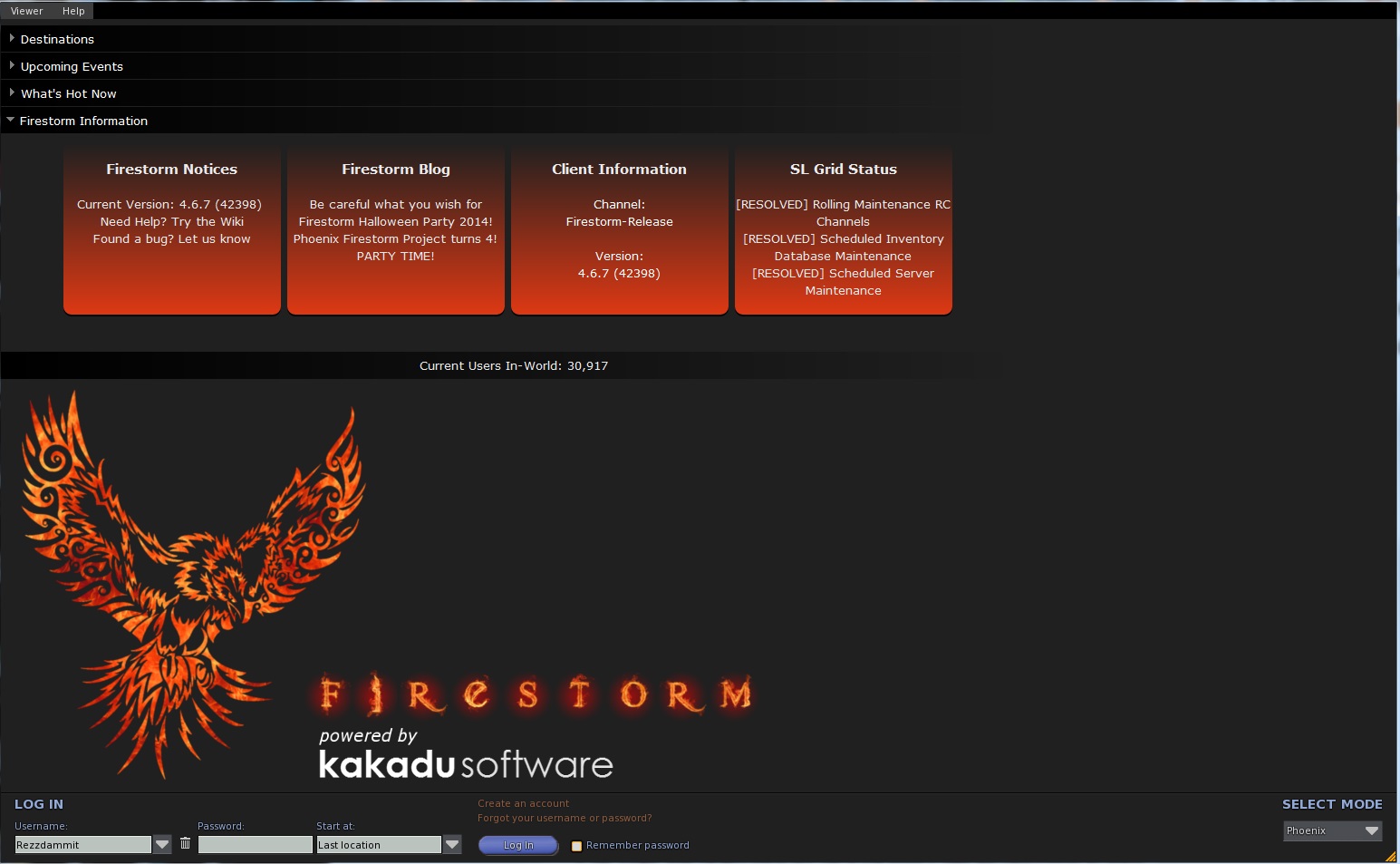
The installation process is painless (read : very easy) and the first time you run it, you get a login screen like you had with the Second Life Viewer, but there’s a difference, you can change the mode of FireStorm Viewer. You can go into : FireStorm, Phoenix, Viewer 3, Hybrid and Latency. I have only tested two modes: FireStorm and Phoenix mode. Both work smoothly.
The Standard Viewer uses the “Pie menu”, like it was used in older Second Life Viewers. Personally, I turned that option off, because I didn’t like the “Pie menu” that much. But you can leave it turned on, if you wish, of course. It’s a user preference thing, you know.
You can also choose other worlds to view as well : InWorldz and many others, which I don’t really know about. But we are on Second Life, so I suggest to leave it set for here. Once logged in into Second Life you will notice the HUD of the Viewer is totally different if you're used to the Linden Lab Second Life Viewer. But don’t panic or be afraid, you will get used to it sooner or later.
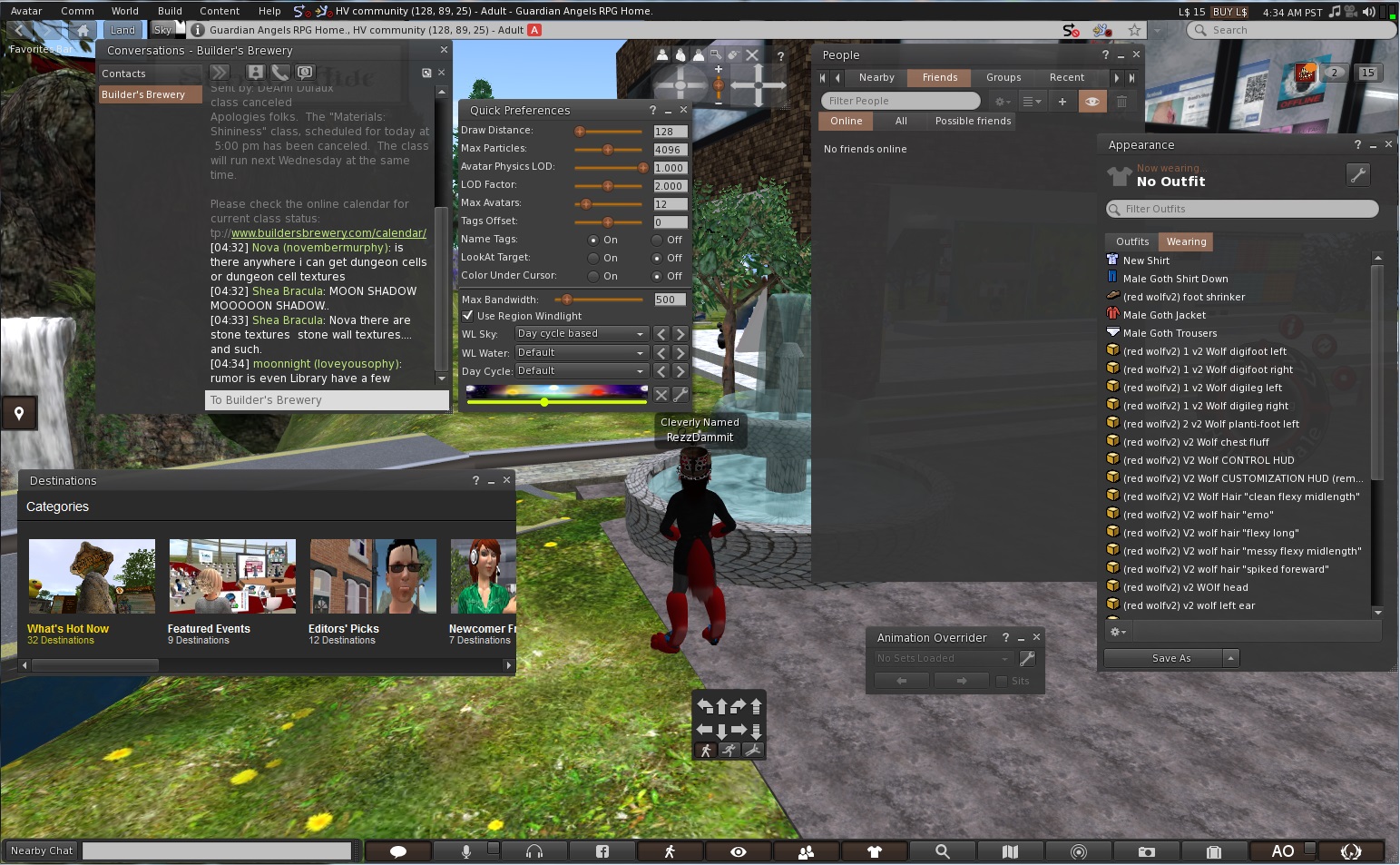
You will see buttons at the bottom of your screen, you can change them if you wish with things you use the most. At the left of those buttons, you will see a field to type in your text in Nearby Chat. But you can also click the text balloon icon and chat from there, it will open a small window called “Nearby Chat’.
So, you see FireStorm Viewer has much more ways to use different features.
At the left of your screen you will see an icon : if you click that it will open the “Destinations” windows where you can choose from the list to view other places.
As mentioned earlier, there are buttons at the bottom of the Viewer screen ( here’s a little explaination of the icons. I will only review the most used by most residents ) :
  • The “briefcase” icon, will open your inventory.
  • The “Search” icon, will open Second Life Search.
  • The “map” icon will give you a map according to where you are in Second Life now
  • The “minimap” icon, will show a minimap of the surrounding areas you are currently in.
  • The “People” icon, will allow you to view who of your friends is online and which residents are nearby and also you can access your groups here.
  • The “eye” icon, let’s you control the camera options and adjust the camera around your avatar.
  • The “microphone” icon, will let you speak with your microphone in-world.
  • The “headphones” icon, will let you hear voices nearby and let you morph your voice and things like that.
  • The “Facebook” icon, obviously let’s you share things on Facebook.

You are able to change the icons that you want to be placed at the bottom of the GUI.

In my personal opinion, this is much better than Linden Lab’s Second Life Viewer. More options, more privacy protection and more customizable.

More information about FireStorm Viewer can be found at :http://www.firestormviewer.org/
If you decide to use this Viewer, have fun with it !
 
Wesley Regenbogen


Monday, November 24, 2014

Radegast Text-Based Viewer Opens SL to a New Community


From Mermaid Celene Highwater


 Do you still remember the day you joined Second Life? Do you remember how difficult it was to learn to dress your avatar and navigate? Or how about those wardrobe malfunctions? You know, the ones that left you stark naked in the middle of the dance floor with a big box in your hand? For sighted users, SL is a challenge to master and an ongoing learning experience. But what if you were a new user with disabilities using a screen-reader and a text-based viewer to navigate the world instead of your eyes?

Meet a new and growing community of blind and visually impaired SL users who, for the first time in history, have access to the world of virtual reality. For these users, playing games that were not totally text-based was an inconceivable prospect just a few short years ago. But now, thanks to a new text-based viewer called Radegast, they are blazing the trail for the blind community at large as they discover the wonders of virtual life.

During a recent interview, I asked Latif Khalifa, the creator of Radegast, what inspired him to create the program. “I was interested in understanding the network communications between Second Life client and server,” he explained. “So in 2006, a group of developers reverse engineered the SL protocol and a library was created that allowed 3rd party software to connect to SL for the first time. Prior to this, only the official Second Life client could be used for logging in. But this was just a software library, not something that a normal person could use,” he continues. “I was looking around to see if there was someone who had already used the library to create a user-friendly client. I found one called SLeek, but it was pretty buggy and limited. So I decided to rewrite it, add functionality, make it more user friendly. And that's how Radegast was born. This was in 2009.”

Since then, Radegast has undergone numerous updates and now has a user base of 20,000 users. And thanks to its simplistic interface-with text-based menus, inventory management, and a window that displays objects in atext-only list, that user base is increasingly including blind and visually impaired people interested in trying out Second Life.

“My intention with Radegast was to allow people to instant message with their SL friends when they could not use the full graphical viewer. For instance from work, or from computers that were not fast enough to run the full viewer,” Latif explained. “Later Mojito Sorbet who was in contact with some people at Virtual Ability alerted me of the fact that Radegast was screenreader friendly and that it is being used by the blind to login and enjoy Second Life.

To be honest, I did not think of this when originally starting Radegast, but I was delighted to hear that the project had this nice side effect. Mojito had the idea to make the speech plugin, and even though she never used the programming language Radegast was written in, she managed to write it. She also wrote the interface for SL Voice and contributed greatly to improving the usability of Radegast for the blind.”

The first confirmed blind user of this new program was me. I had tried to join SL several years before via an experimental website called Text-SL. By the time I found it it was no longer functional and I gave up in despair. I quickly realized that the world of virtual reality, like all the other interactive games online that I wanted to participate in, was inaccessible to me because there was no text to accompany the graphical interfaces. So I went back to text-based online games and kept on dreaming of the day when technology would progress enough to allow me access.

Two years later I was sitting at my computer feeling sorry for myself and wishing with all my heart that Second Life was accessible when a family member decided to take matters into his own hands. He logged into Second Life. After asking around inworld, he found his way to Virtual Ability Sanctuary. And as the old saying goes: the rest is history.

 I downloaded a copy of Radegast and started learning how to use it with no clue how accessible it was and with no instruction manual to guide me. What I did have was a supportive community of SL users who were determined to help me try. One of these users was Roxie Marten, who became my mentor and learned Radegast right alongside me. “Honestly when I trained you I was flying by the seat of my pants. I had used Radegast to run a bot to tend bar for me,” she said during an interview. The bot she is referring to goes by the name of Tik Tok. Using two computer monitors, one displaying Radegast and the other Firestorm, Roxie simulated actions using Tik Tok and then relayed how she performed those actions to me. I was then able to replicate what she’d done using Radegast and thus the learning via trial and error began. If what we did sounds complicated, that’s because it was. When Roxie wasn’t working with me,

I spent hours using trial and error to learn to navigate Second Life and interact with people and objects. My motivation to keep going was seeing all that SL had to offer, and the new window of opportunity that would open up when I would discover something new. I found the virtual world an inspiring place where a destination was just a teleport away and friends were easy to find thanks to Virtual Ability.

Roxie said it well in her interview: “We help each other; that is the spirit of Virtual Ability. We are a collection of disabilities: blind, deaf, paraplegics,quadriplegics, amputees, wounded warriors. We all come together to help each other. We are a community of disabled people who work for each other.”

Launched in 2007 by Second Life resident Gentle Heron, Virtual Ability is a virtual community of support for those with physical, mental and emotional disabilities and their family/caregivers. The mission of VAI as it is called in Second Life, is to enable those with disabilities to thrive and interact within a virtual world.

 “I came into SL with some friends who were looking, as I was, for a way to still socialize and be active, despite our level of disability. As we became more disabled, we were less and less able to get out of our homes and do the things we used to enjoy doing. I looked in SL for a cross-disability peer support group, and did not find one. From there, Virtual Ability just grew.”

The community, which now has nearly one thousand members in Second Life alone, is a thriving hub of activity with weekly events, classes and support groups. The members who make up the community each have their own unique stories, and thanks to Virtual Ability’s commitment to helping them, they are able to do things they couldn’t imagine doing in real life. For example, someone with developmental disabilities who can’t function easily or safely in the greater SL world can function in Virtual Ability. They can have a home of their own and even drive a car.

This had a profound impact on me when I started thinking about Second Life as a whole and the benefits it could have on those with not only mental limitations or paralysis, but those with visual disabilities. So I committed to learning everything I could about Radegast with the hope of launching a program for those screen-reader users.

In May of 2013, we launched an ambitious project to create the first user guide for the viewer, compiling all we had learned and sharpening new skills along the way. After seven months this guide was completed and has now been incorporated into the viewer as the official help guide.

Unfortunately, just before the completion of this article, I received word that due to illness, LatifKhalifa will no longer be able to continue his work on the project. And since Radegast requires updating and improvement to keep up with the changes made to Second Life, we are not sure where the viewer will go from here. Our hope is that as a community of twenty thousand users, we can find coders and people that are passionate about Radegast enough to dedicate some time to keeping this project alive.

To learn more about Virtual Ability go to their official website: http://www.virtualability.org .

To check out and obtain a copy of Radegast visit: http://www.radegast.org

Mermaid Celene

Monday, July 23, 2012

The Cool VL Viewer


The computer I've been going about Second Life in has been the same one I've been using since regularly logging on, for a bit more than five years. Windlamp wasn't around when I got it, let alone mesh. And it seems more and more, I've been finding mesh objects where I go, whether it be clothes and hair, vehicles, or as part of a build. Problem is, the viewers I've been using, Singularity and Imprudence, don't support mesh. And the objects appear as ovals and shapes instead of clothes or whatever else they're supposed to. The latest version of Phoenix that I've been using can see it sometimes, but it's buggy. When I had a chat with Tonya Souther, the head of the development for Team Phoenix's Apple viewers, she thought my computer was probably too old for the latest Phoenix viewers.

So I've been getting by with what I have for now, trying to put a little money aside for a new computer, eventually. But with a mortgage on my house while earning a laborer's salary, easier spoken than done. And given the current economy, I've been more reluctant to part with my money than ever. While there is the option of a cheaper PC computer, I still have memories of my old one taking a long time to start up, and of course the time for virus checks and defraying. And then there's Windows 8 of which I've heard can lock up a computer to the point it becomes useless and has to be thrown away. Maybe the sour luck I've had with machines over the years has made me edgy.

But recently a friend, Lomgren Smalls, told me about a viewer that should help, the "Cool VL Viewer."

Formerly known as the "Cool SL Viewer," the developer Henri Beauchamp explained on his website he first created it in response to Linden Lab being unable to "account in a timely manner all the patches and big fixes which the open source community provides." He made the first version in November 2007, and has been updating it since, sometimes more than once a month. Besides the Apple version, there are Windows and Linux viewers as well. Cool VL isn't among Linden Lab's approved list of viewers, but I was willing to take Lomgren's word that giving it a try would be a good idea.

In the case of the Mac Viewer, clicking on the downloaded software will result in a window popping up, where the viewer can observe the prioress while it either downloads the Snowglobe DMG from Linden Lab's servers, or if you already have it in the same location, it skips ahead and uses that. It takes the Snowglobe files, and makes them part of the viewer, "Once it's done, you can copy the Cool VL Viewer app where you want it," such as applications.

Once it was downloaded and done with, I double clicked and brought it up, logging in … and it worked!  Everyone took a little time to becloud as usual. But the man in the mesh avatar, instead of rezzing into a bunch of squares and shapes came out more or less normal. He didn't come out perfectly, instead of hair I saw a couple of knobs on his head. But still, the difference was like night and day. Going about, I could see cars and other vehicles where I once saw just shapes. So it would seem the viewer was a success.

The viewer isn't perfect. In one area with lag, some mesh items I happened to have on couldn't be seen. But others in the place commented they too were having problems due to the lag. And of course the viewer settings may need to be reconfigured to what one prefers, such as IM tabs appearing top to bottom on the window instead of left to right. The "Preferences" offer a "Cool Features" tab as well. It *may* handle lag slightly better than Singularity. I have yet to see how it does for flying or air combat.

There has been some talk about Linden Lab essentially shutting down Viewer 1-based third party viewers in some months, which is for another article later. But until such an event, Cool VL seems to be just the viewer for those older computers that can't handle V2 or V3 based technology or Phoenix.

The Cool VL site is at http://sldev.free.fr/

Bixyl Shuftan.