Showing posts with label third-party viewer. Show all posts

Thursday, December 4, 2014

Firestorm: A First Look at a Third-Party Viewer for Second Life


By Wesley Regenbogen
Many new users usually use the Second Life Viewer from Linden Lab after they signed up. I myself used it for many, many, many years used the standard Second Life Viewer from Linden Lab. But a few days ago, I downloaded and installed FireStorm Viewer. This is the most popular of the alternative, or third-party, viewers.
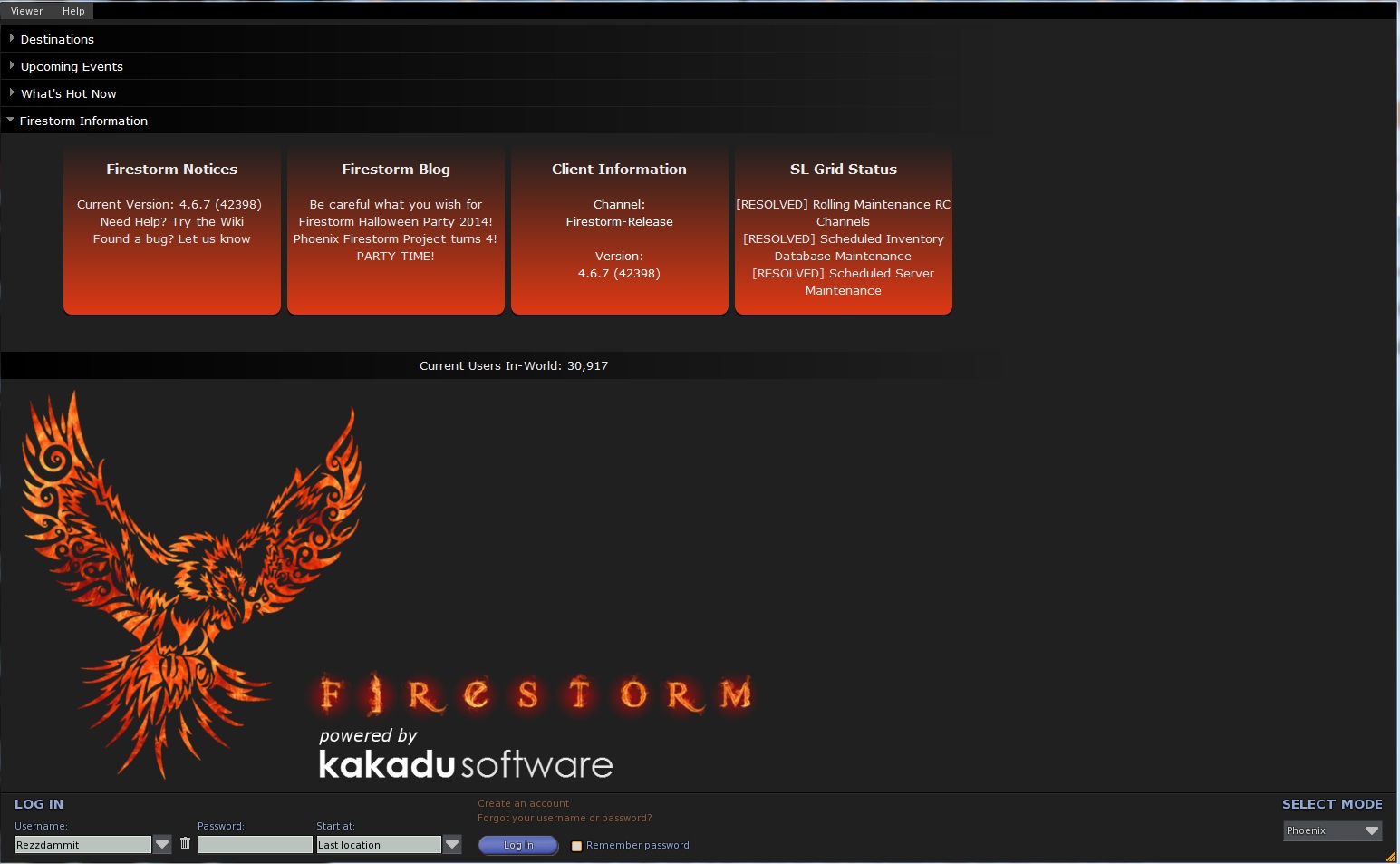
The installation process is painless (read : very easy) and the first time you run it, you get a login screen like you had with the Second Life Viewer, but there’s a difference, you can change the mode of FireStorm Viewer. You can go into : FireStorm, Phoenix, Viewer 3, Hybrid and Latency. I have only tested two modes: FireStorm and Phoenix mode. Both work smoothly.
The Standard Viewer uses the “Pie menu”, like it was used in older Second Life Viewers. Personally, I turned that option off, because I didn’t like the “Pie menu” that much. But you can leave it turned on, if you wish, of course. It’s a user preference thing, you know.
You can also choose other worlds to view as well : InWorldz and many others, which I don’t really know about. But we are on Second Life, so I suggest to leave it set for here. Once logged in into Second Life you will notice the HUD of the Viewer is totally different if you're used to the Linden Lab Second Life Viewer. But don’t panic or be afraid, you will get used to it sooner or later.
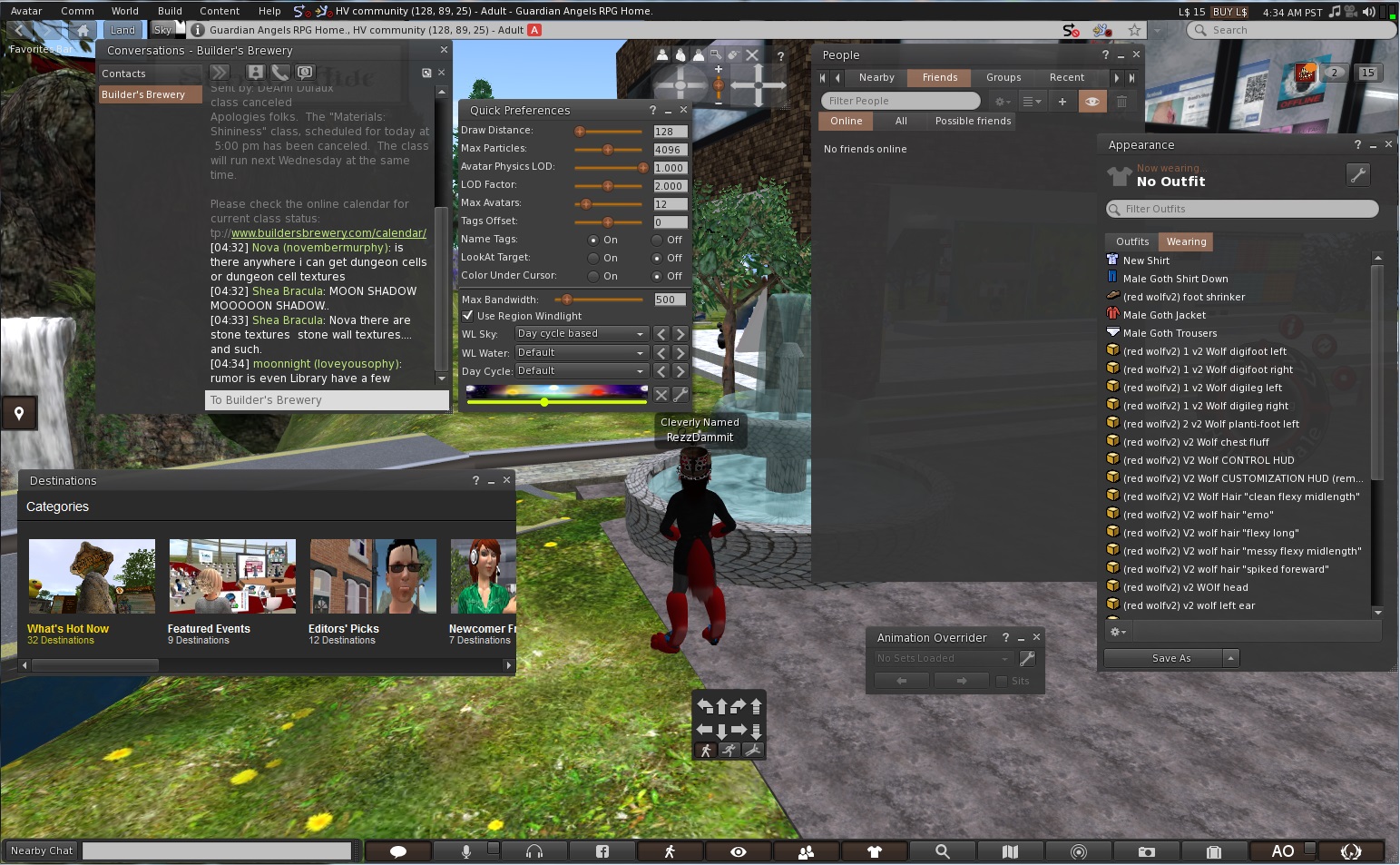
You will see buttons at the bottom of your screen, you can change them if you wish with things you use the most. At the left of those buttons, you will see a field to type in your text in Nearby Chat. But you can also click the text balloon icon and chat from there, it will open a small window called “Nearby Chat’.
So, you see FireStorm Viewer has much more ways to use different features.
At the left of your screen you will see an icon : if you click that it will open the “Destinations” windows where you can choose from the list to view other places.
As mentioned earlier, there are buttons at the bottom of the Viewer screen ( here’s a little explaination of the icons. I will only review the most used by most residents ) :
  • The “briefcase” icon, will open your inventory.
  • The “Search” icon, will open Second Life Search.
  • The “map” icon will give you a map according to where you are in Second Life now
  • The “minimap” icon, will show a minimap of the surrounding areas you are currently in.
  • The “People” icon, will allow you to view who of your friends is online and which residents are nearby and also you can access your groups here.
  • The “eye” icon, let’s you control the camera options and adjust the camera around your avatar.
  • The “microphone” icon, will let you speak with your microphone in-world.
  • The “headphones” icon, will let you hear voices nearby and let you morph your voice and things like that.
  • The “Facebook” icon, obviously let’s you share things on Facebook.

You are able to change the icons that you want to be placed at the bottom of the GUI.

In my personal opinion, this is much better than Linden Lab’s Second Life Viewer. More options, more privacy protection and more customizable.

More information about FireStorm Viewer can be found at :http://www.firestormviewer.org/
If you decide to use this Viewer, have fun with it !
 
Wesley Regenbogen


Monday, July 23, 2012

The Cool VL Viewer


The computer I've been going about Second Life in has been the same one I've been using since regularly logging on, for a bit more than five years. Windlamp wasn't around when I got it, let alone mesh. And it seems more and more, I've been finding mesh objects where I go, whether it be clothes and hair, vehicles, or as part of a build. Problem is, the viewers I've been using, Singularity and Imprudence, don't support mesh. And the objects appear as ovals and shapes instead of clothes or whatever else they're supposed to. The latest version of Phoenix that I've been using can see it sometimes, but it's buggy. When I had a chat with Tonya Souther, the head of the development for Team Phoenix's Apple viewers, she thought my computer was probably too old for the latest Phoenix viewers.

So I've been getting by with what I have for now, trying to put a little money aside for a new computer, eventually. But with a mortgage on my house while earning a laborer's salary, easier spoken than done. And given the current economy, I've been more reluctant to part with my money than ever. While there is the option of a cheaper PC computer, I still have memories of my old one taking a long time to start up, and of course the time for virus checks and defraying. And then there's Windows 8 of which I've heard can lock up a computer to the point it becomes useless and has to be thrown away. Maybe the sour luck I've had with machines over the years has made me edgy.

But recently a friend, Lomgren Smalls, told me about a viewer that should help, the "Cool VL Viewer."

Formerly known as the "Cool SL Viewer," the developer Henri Beauchamp explained on his website he first created it in response to Linden Lab being unable to "account in a timely manner all the patches and big fixes which the open source community provides." He made the first version in November 2007, and has been updating it since, sometimes more than once a month. Besides the Apple version, there are Windows and Linux viewers as well. Cool VL isn't among Linden Lab's approved list of viewers, but I was willing to take Lomgren's word that giving it a try would be a good idea.

In the case of the Mac Viewer, clicking on the downloaded software will result in a window popping up, where the viewer can observe the prioress while it either downloads the Snowglobe DMG from Linden Lab's servers, or if you already have it in the same location, it skips ahead and uses that. It takes the Snowglobe files, and makes them part of the viewer, "Once it's done, you can copy the Cool VL Viewer app where you want it," such as applications.

Once it was downloaded and done with, I double clicked and brought it up, logging in … and it worked!  Everyone took a little time to becloud as usual. But the man in the mesh avatar, instead of rezzing into a bunch of squares and shapes came out more or less normal. He didn't come out perfectly, instead of hair I saw a couple of knobs on his head. But still, the difference was like night and day. Going about, I could see cars and other vehicles where I once saw just shapes. So it would seem the viewer was a success.

The viewer isn't perfect. In one area with lag, some mesh items I happened to have on couldn't be seen. But others in the place commented they too were having problems due to the lag. And of course the viewer settings may need to be reconfigured to what one prefers, such as IM tabs appearing top to bottom on the window instead of left to right. The "Preferences" offer a "Cool Features" tab as well. It *may* handle lag slightly better than Singularity. I have yet to see how it does for flying or air combat.

There has been some talk about Linden Lab essentially shutting down Viewer 1-based third party viewers in some months, which is for another article later. But until such an event, Cool VL seems to be just the viewer for those older computers that can't handle V2 or V3 based technology or Phoenix.

The Cool VL site is at http://sldev.free.fr/ . 

Bixyl Shuftan.